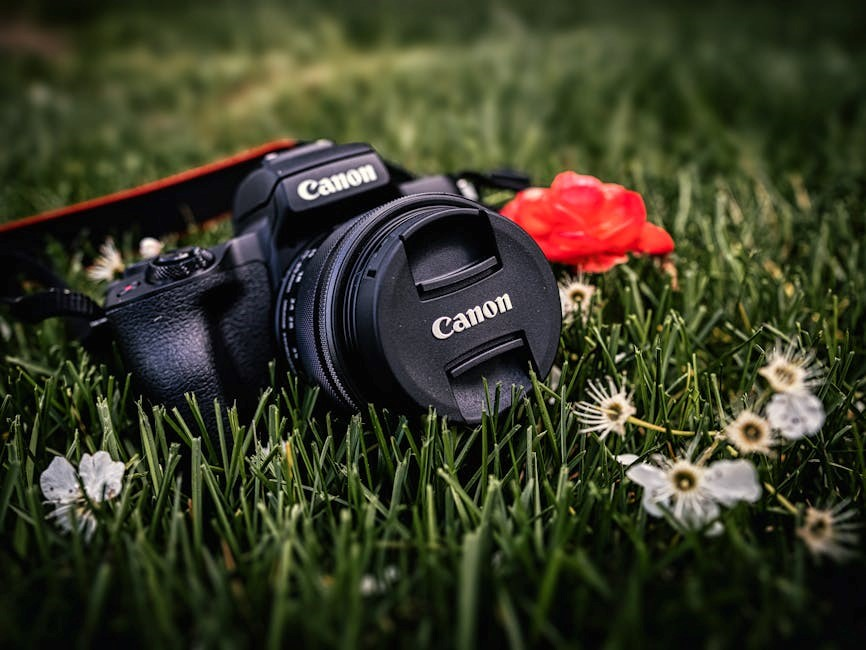
Canon 80D Manual: A Comprehensive Guide
This guide provides detailed instructions for the Canon EOS 80D, covering features, setup, shooting modes, and troubleshooting – ensuring optimal photographic experiences.
The Canon EOS 80D is a versatile DSLR designed for photography enthusiasts seeking advanced features and performance. This camera bridges the gap between entry-level and professional models, offering a robust build quality and a comprehensive feature set. It boasts a 24.2MP APS-C CMOS sensor and Canon’s Dual Pixel CMOS AF system, delivering exceptional image quality and smooth autofocus during both stills and video recording.
This manual will guide you through every aspect of the 80D, from initial setup to mastering its advanced functionalities, helping you unlock its full potential and capture stunning images.
Key Features and Specifications
The Canon EOS 80D features a 24.2MP APS-C CMOS sensor and a DIGIC 6 Image Processor, enabling high-resolution images with excellent clarity. It incorporates a 45-point all cross-type AF system and Dual Pixel CMOS AF for smooth, accurate autofocus in both stills and video. The camera offers continuous shooting at up to 7 fps.
Key specs include a 3.0-inch Vari-Angle Touchscreen LCD, Full HD 1080p video recording at 60fps, and built-in Wi-Fi and NFC connectivity for easy image sharing and remote control.
Unboxing and Initial Setup
Upon unboxing your Canon EOS 80D, verify all included components: camera body, battery, battery charger, strap, and manuals. Insert the battery and a compatible SD card. Power on the camera and follow the on-screen prompts to set the language, date, and time.
Register your camera online for warranty benefits and access to updates. Familiarize yourself with the camera’s basic controls before proceeding to more advanced settings. Ensure the lens is securely attached before initial use.
Understanding the Camera Body
The Canon EOS 80D boasts a robust build with strategically placed controls for intuitive operation. The body features a comfortable grip and weather sealing for durability. Key areas include the front, rear, and top panels, each housing essential buttons and dials.
The articulating touchscreen provides versatile viewing angles and touch-based control. Understanding the layout of these components is crucial for efficient camera handling and accessing various functions quickly.
Front Panel Controls
The front panel of the Canon 80D houses the lens release button, allowing for quick lens changes. It also includes the depth-of-field preview button, enabling visualization of aperture effects. Additionally, you’ll find the focus selection switch, facilitating seamless transitions between autofocus modes.
These controls are essential for manual focusing and customizing shooting parameters. Familiarizing yourself with their functions streamlines the photographic process, offering greater creative control.
Rear Panel Controls
The rear panel features the camera’s articulating touchscreen, providing intuitive navigation and live view shooting. It also incorporates essential buttons for menu access, image playback, and white balance adjustments. The control dial enables quick setting changes, while the AF-ON button activates autofocus independently of the shutter.
Mastering these controls unlocks efficient operation and personalized camera settings, enhancing your overall shooting experience with the Canon 80D.
Top Panel Controls
The top panel houses the main power switch, shutter button, and control dial for adjusting shooting settings like aperture and shutter speed. It also features buttons for ISO sensitivity, white balance, and autofocus mode selection. The mode dial allows quick access to various shooting modes, including Program AE, Aperture Priority, and Manual.
Familiarizing yourself with these controls enables swift adjustments and a streamlined shooting workflow, maximizing the Canon 80D’s capabilities.
Navigating the Menu System
The Canon 80D’s menu is logically organized into several tabs: Shooting, AF, Setup, and Custom Functions. Access it via the MENU button. Within each tab, you’ll find numerous options for customizing camera settings, from image quality and autofocus behavior to display preferences and button assignments.
Utilizing the touchscreen or directional buttons, efficiently explore and adjust settings to tailor the camera to your specific shooting needs and preferences.
Shooting Menu Options
The Shooting Menu controls core image capture settings. Key options include image quality (RAW, JPEG), shooting mode (Program AE, Aperture Priority, etc.), auto exposure settings, white balance, and picture styles. Explore options for burst shooting speed, self-timer functions, and remote control operation;
Adjusting these settings allows precise control over the final image appearance and how the camera responds to various shooting scenarios, enhancing creative possibilities.
AF Menu Options
The AF Menu configures the Canon 80D’s advanced autofocus system. Customize AF area selection modes (Single-point, Zone AF, etc.), tracking sensitivity, and AF method (One-Shot, AI Servo). Explore options for AF point expansion, enabling more accurate subject tracking.
Fine-tune AF behavior for specific shooting situations, optimizing performance for both stills and video, ensuring sharp and focused images consistently.
Autofocus System: Dual Pixel CMOS AF
Canon’s Dual Pixel CMOS AF delivers incredibly smooth and accurate autofocus during both still photography and video recording. This system utilizes on-sensor phase detection, covering a wide area of the image sensor for reliable subject tracking.
It provides fast and responsive focusing, especially beneficial in Live View and video modes, ensuring consistently sharp results even with moving subjects. Explore AF area modes for tailored performance.
AF Area Selection Modes
The Canon 80D offers diverse AF area selection modes to suit various shooting scenarios. Single-Point AF focuses on a precisely selected point, ideal for stationary subjects. Zone AF utilizes a zone of AF points, useful for tracking moving subjects within a defined area.
Large Zone AF expands the zone further, while Automatic Selection AF lets the camera choose the AF points. Face+Tracking prioritizes face detection and tracking, perfect for portraits.
AF Point Expansion
AF Point Expansion on the Canon 80D enhances tracking accuracy, particularly with moving subjects. When activated, surrounding AF points assist the initially selected point, maintaining focus even if the subject briefly moves off the primary point.
Four-Direction AF Expansion adds assistance in four directions, while Eight-Direction AF Expansion provides even broader coverage. This feature is configurable within the AF Menu, allowing photographers to tailor it to their specific needs and shooting style.
Shooting Modes Explained
The Canon EOS 80D offers a versatile range of shooting modes to suit various photographic scenarios. Program AE (P) allows the camera to select both aperture and shutter speed, while Aperture Priority (Av) lets you control aperture for depth of field.
Shutter Priority (Tv) prioritizes shutter speed for motion control, and Manual (M) grants full creative control over both settings. Understanding these modes is crucial for achieving desired photographic results, adapting to different lighting conditions, and artistic expression.
Program AE (P) Mode
Program AE (P) mode on the Canon 80D offers a balanced approach, letting the camera automatically determine both aperture and shutter speed for optimal exposure. This mode is ideal for general photography, providing convenience without sacrificing control.
You can still adjust ISO and exposure compensation, offering some creative input. It’s a great starting point for beginners, allowing them to learn exposure principles while the camera handles the technical aspects, resulting in well-exposed images quickly.
Aperture Priority (Av) Mode
Aperture Priority (Av) mode on the Canon 80D empowers you to control the aperture, directly influencing depth of field. A wider aperture (lower f-number) creates a shallow depth of field, ideal for portraits with blurred backgrounds. Conversely, a narrower aperture (higher f-number) maximizes depth of field, perfect for landscapes.
The camera automatically selects the appropriate shutter speed for correct exposure. This mode is excellent for creative control over focus and background blur, allowing photographers to emphasize subjects effectively.
Shutter Priority (Tv) Mode
Shutter Priority (Tv) mode on the Canon 80D grants control over shutter speed, crucial for capturing motion. Fast shutter speeds freeze action, perfect for sports or wildlife photography. Slower shutter speeds create motion blur, ideal for conveying movement or artistic effects like light trails.
The camera automatically adjusts the aperture to achieve proper exposure. This mode is invaluable when prioritizing either freezing or blurring motion, offering creative control over how movement is depicted in your images.
Manual (M) Mode
Manual (M) mode on the Canon 80D provides complete creative control, allowing independent adjustment of both aperture and shutter speed. This mode is ideal for challenging lighting conditions or when a specific look is desired, bypassing the camera’s automatic settings.
Photographers can precisely dictate depth of field and motion blur. Utilizing the camera’s light meter is essential for achieving proper exposure in Manual mode, offering ultimate artistic freedom and control over the final image.
Understanding Exposure Settings
Exposure settings – aperture, shutter speed, and ISO – are fundamental to photography with the Canon 80D. Mastering these controls allows for creative image manipulation. Aperture controls depth of field, shutter speed dictates motion blur, and ISO determines sensitivity to light.
Balancing these three elements is crucial for achieving a well-exposed photograph. Understanding their interplay empowers photographers to capture images precisely as envisioned, adapting to diverse shooting scenarios.
Aperture and Depth of Field
Aperture, expressed in f-stops (e.g., f/2.8, f/16), controls the lens opening size on your Canon 80D. A wider aperture (lower f-number) creates a shallow depth of field, blurring the background – ideal for portraits. Conversely, a narrower aperture (higher f-number) yields a greater depth of field, keeping more of the scene sharp.
Depth of field significantly impacts image aesthetics and is a powerful creative tool for isolating subjects or showcasing expansive landscapes.
Shutter Speed and Motion Blur
Shutter speed, measured in seconds or fractions of a second (e.g., 1/200s, 1s), determines how long the Canon 80D’s sensor is exposed to light. Faster shutter speeds freeze motion, perfect for sports or wildlife photography. Slower shutter speeds allow more light in, useful in low-light situations, but can introduce motion blur.
Experimenting with shutter speed is crucial for creatively depicting movement or achieving sharp, static images.
ISO Sensitivity and Noise
ISO measures your Canon 80D’s sensor’s sensitivity to light. Lower ISO settings (e.g., 100) produce cleaner images with less noise, ideal for bright conditions. Higher ISO settings (e.g., 3200, 6400) allow shooting in darker environments, but introduce digital noise – graininess that degrades image quality.
Finding the right ISO balance is key to achieving well-exposed, detailed photos;
Working with Lenses
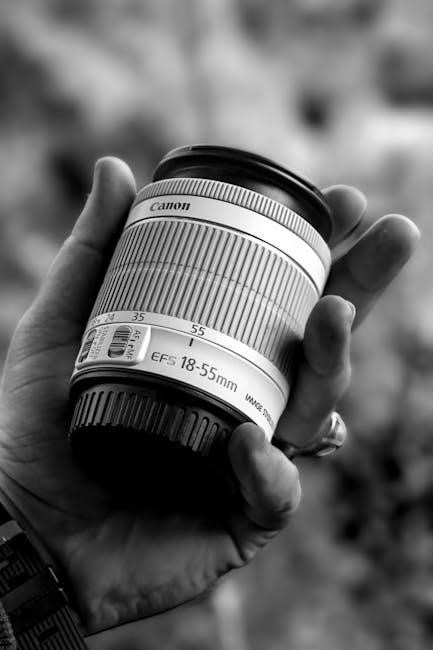
The Canon 80D utilizes Canon’s EF and EF-S lens mounts, offering a vast selection of lenses. EF lenses are compatible with both full-frame and APS-C cameras, while EF-S lenses are designed specifically for APS-C sensors like the 80D’s.
Ensure lens compatibility before purchase; check Canon’s website for supported lenses. Using compatible lenses unlocks the camera’s full potential for image quality and versatility.
EF and EF-S Lenses
EF lenses, renowned for their quality, work seamlessly with the Canon 80D, offering a broader image circle suitable for full-frame cameras too. EF-S lenses, however, are optimized for the 80D’s APS-C sensor, providing a more compact and affordable option.
EF-S lenses generally offer a 1.6x crop factor, impacting the effective focal length. Choosing between EF and EF-S depends on your photographic needs and budget considerations.
Lens Compatibility
The Canon EOS 80D boasts excellent lens compatibility, supporting the extensive EF and EF-S lens lineups. Virtually all Canon EF lenses, past and present, can be utilized, providing photographers with a vast selection of options.
EF-S lenses, designed specifically for APS-C sensors, are also fully compatible. Ensure firmware is updated for optimal performance with newer lens models. Third-party lenses with Canon EF mount are generally supported as well.
Video Recording Features
The Canon EOS 80D excels in video capabilities, offering Full HD 1080p recording at up to 60 frames per second. It supports various frame rates, including 24p for a cinematic look and 30p/60p for smoother motion.
Manual video controls allow precise adjustments to aperture, shutter speed, and ISO. Dual Pixel CMOS AF ensures smooth and accurate autofocus during video recording, enhancing overall video quality and usability.
Video Resolution and Frame Rates
The Canon EOS 80D records video in multiple resolutions and frame rates. Full HD 1080p is available at 23.98, 25, 29.97, 50, 59.94, and 60 fps. For slower motion effects, 720p recording at 120 fps is also supported.
These options provide flexibility for various shooting scenarios, from cinematic footage to fast-action sequences. Choosing the appropriate frame rate impacts the video’s look and feel, offering creative control.
Manual Video Controls
The Canon EOS 80D offers extensive manual control over video settings. Users can adjust aperture, shutter speed, and ISO for precise exposure control. Manual focus is available, alongside focus peaking for critical sharpness. Audio levels are adjustable via microphone input and headphone monitoring.
These controls empower filmmakers to achieve a desired aesthetic, ensuring professional-quality video results. Customization allows adapting to diverse lighting and sound conditions.
Using the Articulating Touchscreen
The Canon 80D’s articulating touchscreen provides versatile operation. It flips out and rotates for shooting from various angles – ideal for vlogging or low/high-perspective photography. Touchscreen functionality enables intuitive menu navigation, quick setting adjustments, and precise focus point selection in Live View.
Customization options allow tailoring the touchscreen experience. It enhances usability and streamlines workflow for photographers and videographers alike.
Live View Shooting

Live View on the Canon 80D delivers a real-time preview of your image on the articulating touchscreen. This mode is excellent for precise composition and manual focusing, utilizing focus peaking and magnification for critical sharpness. It’s particularly useful for video recording, offering full control over exposure settings.
Access Live View by switching the mode dial and enjoy a detailed view for creative control and accurate results.
Touchscreen Customization
The Canon 80D’s articulating touchscreen offers extensive customization options. You can assign frequently used functions to swipes and taps, streamlining your workflow. Customize quick control settings for rapid access to essential parameters like ISO, white balance, and picture style.
Personalize the touchscreen to match your shooting style, enhancing efficiency and responsiveness during both still photography and video recording.
Connectivity and Wireless Features
The Canon EOS 80D boasts integrated Wi-Fi and NFC capabilities, enabling seamless smartphone connectivity. Easily transfer images and videos to your mobile device for instant sharing on social media platforms. Remote control functionality allows you to operate the camera from your smartphone, ideal for group photos or wildlife photography.
These features simplify image transfer and offer creative control from a distance.
Wi-Fi and NFC Functionality
The Canon EOS 80D’s Wi-Fi allows pairing with the Canon Camera Connect app for image transfer and remote control. NFC (Near Field Communication) enables instant connection with compatible devices by simply touching them together. This streamlines the pairing process, eliminating complex setup procedures.
Utilize these technologies for quick sharing and convenient camera operation via your smartphone or tablet, enhancing your workflow.
Remote Control via Smartphone
Using the Canon Camera Connect app, your smartphone transforms into a remote control for the EOS 80D. This allows adjusting camera settings like aperture, shutter speed, and ISO directly from your device. You can also trigger the shutter remotely, ideal for self-portraits or wildlife photography.
Live View monitoring on your smartphone provides a larger, more convenient framing experience, enhancing precision and control during shooting sessions.

Customizing the Canon 80D

The Canon EOS 80D offers extensive customization options to tailor the camera to your shooting style. Custom Functions allow reassigning controls for quicker access to frequently used settings. Button Customization lets you personalize button functions, streamlining your workflow.
Personalize the Quick Control screen, and save custom shooting presets for various scenarios. These adjustments enhance efficiency and responsiveness, making the 80D truly your own.
Custom Functions
Canon’s 80D Custom Functions provide a powerful way to personalize camera operation. These functions allow you to modify the behavior of various controls and settings, adapting the camera to your specific needs and preferences. Explore options for autofocus, exposure, metering, and more.
You can save and recall custom settings, creating profiles for different shooting situations. This feature streamlines your workflow, ensuring quick access to your preferred configurations.
Button Customization
The Canon EOS 80D offers extensive button customization options, allowing photographers to tailor the camera’s controls to their individual shooting style. Assign frequently used functions to buttons like the AF-ON, SET, or even the Quick Control dial.
This level of personalization enhances efficiency and responsiveness, minimizing the need to navigate menus during critical moments. Customize buttons for direct access to ISO, white balance, or metering modes.
Troubleshooting Common Issues
Encountering problems with your Canon 80D? This section addresses frequent issues, from error codes to autofocus malfunctions. Consult the error code list within the manual for specific solutions and potential causes.
Common concerns include card errors, battery problems, and image quality issues. Explore FAQs for quick fixes, and remember to check Canon’s support website for updated troubleshooting guides and firmware solutions.
Error Codes and Solutions
Decoding error messages is crucial for resolving Canon 80D issues. The camera displays codes indicating problems like card errors (C:00), lens communication failures, or internal malfunctions. Refer to the comprehensive error code list in the manual or on Canon’s website.
Solutions range from reformatting the card to cleaning the contacts or updating firmware. If a persistent error occurs, contact Canon support for professional assistance and potential repair options.
Frequently Asked Questions (FAQs)
Common questions regarding the Canon 80D often involve autofocus performance, particularly Dual Pixel CMOS AF, and customizing button functions for efficient operation. Users frequently inquire about video settings, including resolution and frame rates, and troubleshooting Wi-Fi connectivity issues.
Other FAQs cover memory card compatibility, cleaning the image sensor, and understanding various shooting modes. Canon’s support website provides detailed answers and helpful tutorials addressing these concerns.
Maintenance and Care
Regular maintenance ensures the longevity of your Canon EOS 80D. Gently clean the exterior with a soft, dry cloth. Periodically clean the image sensor using a blower or sensor cleaning kit, following Canon’s guidelines to avoid damage.
Proper battery care is crucial; avoid extreme temperatures and fully charge before extended storage. Store the camera in a dry, dust-free environment when not in use, protecting it from potential harm.
Cleaning the Sensor
Sensor cleaning is vital for image quality. Begin by using the camera’s built-in sensor cleaning function. If dust persists, use a blower to gently remove particles. For stubborn spots, consider a sensor swab kit, following Canon’s instructions precisely.
Caution: Improper cleaning can damage the sensor; Avoid touching the sensor with anything other than designated cleaning tools. Always prioritize gentle methods and refer to the Canon manual for detailed guidance.
Battery Care
Maximize battery life by fully charging the battery before first use. Avoid extreme temperatures, as heat and cold can reduce performance. Store batteries in a cool, dry place when not in use. Only use Canon-approved chargers to prevent damage.
Prolong battery lifespan by avoiding complete discharge. Consider carrying a spare battery for extended shooting sessions. Regularly check the battery terminals for corrosion and clean them gently if needed.
Firmware Updates
Regular firmware updates enhance camera performance and add new features. Visit the Canon website to check for available updates specifically for the EOS 80D. Download the latest firmware and follow the provided instructions carefully during the update process.
Ensure a stable power source during the update to prevent interruption. Incorrectly updating firmware can cause camera malfunction, so proceed with caution. Back up important data before initiating any firmware update.
Checking for Updates
To check for firmware updates, visit the official Canon website and navigate to the support section for the EOS 80D. Look for a dedicated firmware download area. Canon regularly posts updates to improve performance and address potential issues.
The website provides detailed instructions and version numbers for each update. Compare the version on the Canon site with the one currently installed on your camera to determine if an update is needed. Download only from Canon’s official sources.

Updating the Firmware
To update the firmware, download the latest version from Canon’s website and follow their detailed instructions. Typically, you’ll need a formatted SD card. Copy the firmware file to the root directory of the SD card – do not place it in a folder.
Insert the SD card into your Canon 80D, power on the camera, and access the firmware update option through the camera’s menu. Do not interrupt the process; ensure a stable power source throughout the update.